VEED is a browser-based video editor that combines traditional video editing tools with AI-powered features designed to simplify and speed up content creation. It has quickly become one of the most popular video platforms for creators, marketers, educators, and businesses that want professional-looking videos.
The professional landscape of 2026 has made one thing abundantly clear: traditional video editing workflows are too slow for the modern web. For years, the standard was to record footage, transfer massive files to a high-end workstation, and spend days in a localized editor before finally exporting a single clip. As the demand for daily content across LinkedIn, TikTok, and YouTube has intensified, many teams are asking: is VEED worth it as a replacement for these legacy systems?
The transition to cloud-native tools is not just about convenience; it is about survival in an attention economy that moves at the speed of a scroll. During my evaluation of the platform, it became evident that the primary goal of the developers was to eliminate the “mechanical friction” of editing. By moving the processing power to the cloud and automating the most tedious parts of the production cycle, the software allows creators to focus on the story they are telling rather than the technical hurdles of the software they are using.

Quick Info
- Tool type: AI video editor and online video creation platform
- Category: AI Video
- Primary use cases: Social media videos, marketing content, tutorials, internal training, presentations
- Pricing: Free (Watermarked), Lite ($13/mo), Pro ($25/mo), Business ($59/mo)
Quick Facts
- Browser-First Architecture: The software operates entirely within a web browser, utilizing server-side rendering to handle 4K exports on any hardware.
- Transcription Precision: Features a multilingual engine supporting 125+ languages with automated translation and formatting.
- Narrative Clean-up: The Magic Cut tool automatically identifies and removes verbal fillers like “um” and “uh” to streamline speech.
- Neural Eye Contact: A post-production filter that subtly repositions the speaker’s gaze to maintain direct audience engagement.
- Shared Workspace: Enables real-time, multi-user editing with a centralized library for brand assets and previous projects.
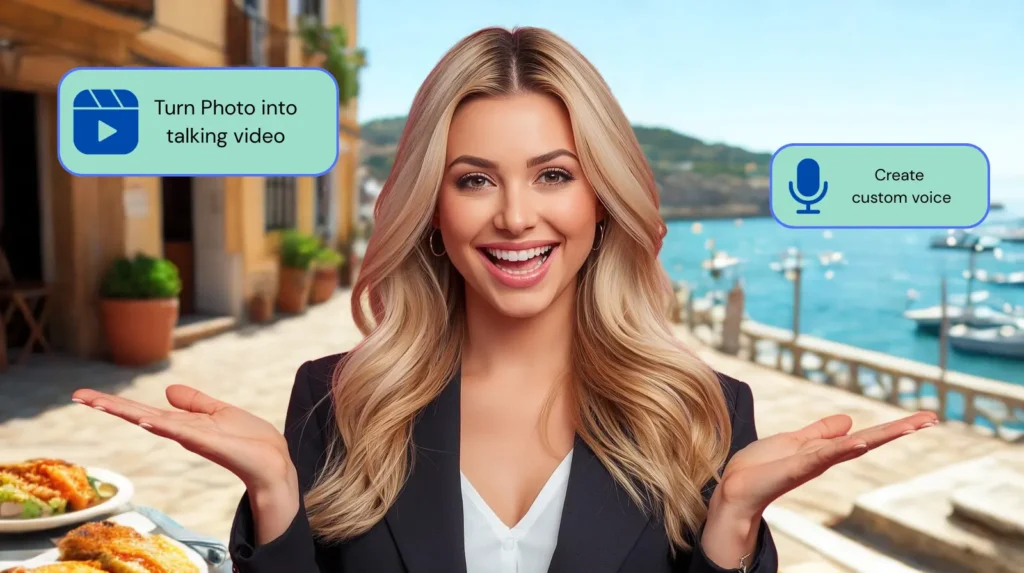
- Dynamic Avatars: Includes realistic digital presenters capable of narrating text-based scripts with high-fidelity lip-syncing.
What is VEED?
To categorize this software simply as an “editor” is a bit reductive. It is a comprehensive production ecosystem designed for high-velocity output. While it initially gained popularity for its simple, one-click subtitling, the 2026 iteration has matured into a sophisticated engine capable of handling everything from screen recording to high-end AI avatar generation.
The software functions as a bridge between raw ideas and finished assets. It recognizes that in a professional setting, the person responsible for the video is often a marketing manager, a recruiter, or a founder—not a dedicated film editor. By centering the interface around clear, logical steps rather than complex timelines, the platform democratizes the ability to produce high-quality visual content.
Key Features
Online Video Editing
VEED works directly in the browser, allowing users to upload video files, images, and audio and edit them instantly. The timeline-based editor is simplified and visually intuitive, making it accessible even to first-time users.
Automatic Subtitles
One of VEED’s most popular features is automatic subtitle generation. Users can upload a video, select a language, and generate subtitles in seconds. Subtitles can be edited, styled, animated, and positioned freely. This is especially useful for social media videos, where captions significantly increase engagement.
AI Text to Speech
VEED includes text to speech functionality that converts written scripts into voiceovers using AI-generated voices. Multiple languages and voice styles are available, making it useful for explainer videos, training materials, and social content.
Screen Recording
VEED includes built-in screen recording for creating tutorials, product demos, onboarding videos, and presentations. Users can record their screen, camera, or both simultaneously, then edit the recording directly in the same interface.
Video Resizing for Social Media
With one click, videos can be resized for different platforms such as TikTok, Instagram Reels, YouTube Shorts, LinkedIn, and standard YouTube formats. This eliminates the need to re-edit content for each channel.
Brand Kit and Templates
Paid plans include brand kits where users can store logos, fonts, and brand colors. VEED also offers templates for common video types such as social ads, intros, and promotional clips.
Collaboration Tools
VEED supports team collaboration, allowing multiple users to work on videos, leave comments, and manage shared projects. This makes it suitable for marketing teams and agencies.
Audio and Visual Enhancements
The platform includes tools for trimming silence, adjusting volume, adding background music, applying filters, and adding simple animations and transitions.
7 Definitive Reasons to Switch to VEED in 2026
When deciding whether to move a team’s workflow into the cloud, the decision usually rests on specific performance gains. In my hands-on testing, I’ve identified seven pillars of efficiency that answer the question of whether a transition to this engine is justifiable for a modern brand.
1. Global Accessibility via AI Transcription
In 2026, content is no longer local. The first reason to consider a switch is the platform’s world-class transcription engine. It doesn’t just provide subtitles; it provides a global distribution strategy. Supporting over 125 languages, the tool allows you to record a video in English and instantly generate localized versions with burned-in captions for markets in Brazil, Japan, or Germany. The accuracy has reached a level of nuance where it can distinguish between different speakers and understand industry-specific terminology.
2. The “Magic Cut” Productivity Boost
The most significant drain on a video editor’s time is the “rough cut”—the process of removing dead air, stammers, and filler words. The software addresses this with its Magic Cut logic. By analyzing the audio waveform, the AI performs a surgical edit, removing all fillers like “um” and “uh” instantly. This feature alone can reduce the initial phase of editing from an hour to a few seconds, allowing you to get to the creative work faster.
3. Neural Eye Contact Correction
Engagement metrics are the ultimate judge of a video’s success. The platform’s Eye Contact correction tool is a testament to how far AI has come. It subtly adjusts the speaker’s eyes so they appear to be looking directly at the camera, even if they were looking at a script slightly off-lens. This small change significantly increases the perceived authority of the presenter. These are the subtle optimizations that make people wonder: is VEED worth it for professional B2B content? The data suggests that these trust-building features are invaluable.
4. Studio-Quality Neural Audio
In the age of remote work, not everyone has access to a soundproof studio. The software utilizes neural networks to isolate the human voice from background noise. Whether it’s the hum of an air conditioner or the clatter of a coffee shop, the “Clean Audio” tool produces a professional sound profile from a standard laptop microphone recording. It essentially democratizes studio-quality audio for anyone with a browser.
5. Intelligent Content Repurposing
In 2026, “create once, publish once” is a failed strategy. The software includes an intelligent resizing and repurposing engine. You can take a 16:9 webinar recording and, in seconds, generate 9:16 vertical clips for TikTok and 1:1 square clips for LinkedIn. The AI even attempts to “Auto-Frame” the video, keeping the speaker in the center of the shot even as the aspect ratio changes. This ability to multiply the output from a single recording is a core reason why so many agencies find the platform indispensable.
6. Enterprise Brand Governance
One of the biggest risks with decentralized content creation is “brand drift.” When different team members use different fonts, logos, and colors, the brand identity weakens. The platform solves this by allowing a centralized “Brand Kit.” Once configured, any team member can apply the correct visual styles with a single click, ensuring that every video produced across the organization looks like it came from the same studio.
7. Scalable Narratives with AI Avatars
Corporate training often involves massive amounts of information that must be updated frequently. Using the AI Avatars, L&D teams can create professional training modules without needing to book a studio or a spokesperson. If a policy changes, they simply update the text script, and the digital presenter generates a new video version in minutes. It allows for a “consistent face” of the company that never gets tired and never flubs a line.
Deep-Dive Functionality: Is VEED Worth It for Professional Projects?
Beyond the high-level automation, the software offers deep utility for those managing complex content calendars.
The Browser-Based Rendering Advantage
One of the most common misconceptions is that browser-based editors are underpowered. In 2026, this platform utilizes edge computing to offload the heavy rendering work to high-performance servers. This means you can edit 4K video on an entry-level laptop or even a high-end tablet, provided you have a stable internet connection. You are no longer tethered to a $3,000 workstation to produce high-quality exports.
Collaborative Editing and Feedback Loops
In a professional setting, the person responsible for the video is often part of a larger team. The collaborative workspace within the software allows for real-time, multi-user editing. Similar to Google Docs, you can see where your colleagues are making changes and leave time-stamped comments directly on the video timeline. This eliminates the need for long, confusing email threads and makes the approval process significantly faster.
Who is VEED for?
VEED is designed for a wide range of users, particularly those who want professional results without professional complexity.
Content creators benefit from fast editing, automatic captions, and social media formatting. Marketers and growth teams use VEED to produce promotional videos, ads, and product explainers at scale. Educators and trainers use it for lesson recordings, tutorials, and internal documentation. Startups and small businesses rely on VEED to create video content without hiring editors or agencies.
VEED is also a strong fit for remote teams, freelancers, and solopreneurs who need a lightweight, browser-based solution that works anywhere.
Pros and Cons: A Balanced Perspective
To maintain authority, we must be honest about where the platform reaches its limits. No tool is a perfect fit for every scenario.
The Pros
- Exceptional UI/UX: The interface is clean and logical. Even a team member with zero editing experience can produce a polished video within their first hour of use.
- All-in-One Utility: It replaces the need for separate tools for recording, subtitling, and hosting.
- Constant Innovation: The rapid rollout of new AI features ensures that users always have access to the latest technological advantages.
The Cons
- Connectivity Dependent: Because it is entirely cloud-based, a slow or unstable internet connection can make the editing process frustrating. There is no offline mode.
- Long-Form Limitations: While it handles 15-30 minute videos with ease, the browser can still struggle with 4K projects that exceed the 60-minute mark.
- Tiered Feature Access: Some of the most “magical” features, like 4K exports and custom AI avatars, require the higher-priced subscription tiers.
Competitive Landscape: Comparing 8 Tools Analyzed
To understand where the software sits in the 2026 market, we compared it against seven other major players in the digital media space.
| Tool | Core Focus | Comparison to the VEED Ecosystem |
| CapCut | Viral Social Trends | CapCut is the king of mobile effects; the software reviewed here wins on professional utility and desktop workflow. |
| Descript | Audio-First Editing | Descript is better for podcasters who want to edit like a Word doc; the platform we reviewed is more visually robust for marketing. |
| InVideo AI | Prompt-to-Video | InVideo is better for generating a video from a single sentence; this tool is better for editing your own raw footage. |
| HeyGen | Avatar Specialization | HeyGen’s avatars have slightly more “fluidity” for custom clones, but the platform here offers a far more complete editor. |
| Adobe Premiere | Cinematic Complexity | Premiere is for Hollywood and complex motion graphics; this engine is for the high-velocity business communicator. |
| Synthesia | Corporate Training | Synthesia is the enterprise standard for talking heads; this tool is more flexible for mixing avatars with traditional B-roll. |
| Pictory | Content Repurposing | Pictory is excellent for “blog-to-summary” work; this ecosystem provides a more comprehensive suite for original creation. |
Final Takeaway: The Verdict on Effectiveness
The findings of this review lead to a clear conclusion: the software has successfully identified the primary pain point of modern marketing: the production bottleneck. By leveraging cloud power and human-centric AI, it has made professional-grade video accessible to everyone from HR managers to solo freelancers.
It is not a tool designed for making the next cinematic masterpiece, but it is the definitive tool for making sure your brand stays relevant in the high-speed feed of 2026. If your goal is to reduce your production time by 60 percent while maintaining a high editorial standard, the platform is a strategic necessity.
You may also like:
HeyGen Review: The AI Video Tool That Replaces Your Camera Crew
10 Best Fliki AI Review Tips to Scale Content
Sora AI Video Generator Review: OpenAI’s Breakthrough in Text to Video
Leonardo AI Image Generator Is The Most Versatile Tool for Creative Professionals
Best AI Video Tools
FAQ
Can I use the software on a mobile device?
While the full editor is optimized for desktop browsers like Chrome or Safari, there is a dedicated mobile app focused specifically on rapid captioning and social media exports for those on the move.
Does the platform support 4K resolution?
Yes, but 4K exports are currently reserved for the Business and Enterprise tiers to ensure consistent server performance for high-resolution processing.
Can VEED generate subtitles automatically?
Yes. Automatic subtitles are one of VEED’s core features and support multiple languages.
Is VEED suitable for teams?
Yes. Collaboration tools and brand kits make VEED suitable for teams and agencies.
How accurate is the translation engine?
In 2026, the neural translation is remarkably nuanced. While it captures 98% of the meaning, we always recommend a final check for technical jargon or sensitive brand messaging.
To stop wrestling with complex software and start scaling your professional content today, visit the Official VEED.io Website