A Practical, Honest Look at the Platform Turning Non-Video People Into Video Creators
Think about the last time you needed a video for your business, your course, or your YouTube channel. If you are like most people, you either spent hours filming and editing, paid someone to do it for you, or quietly decided it was too much effort and skipped it altogether. HeyGen exists to remove that entire obstacle.
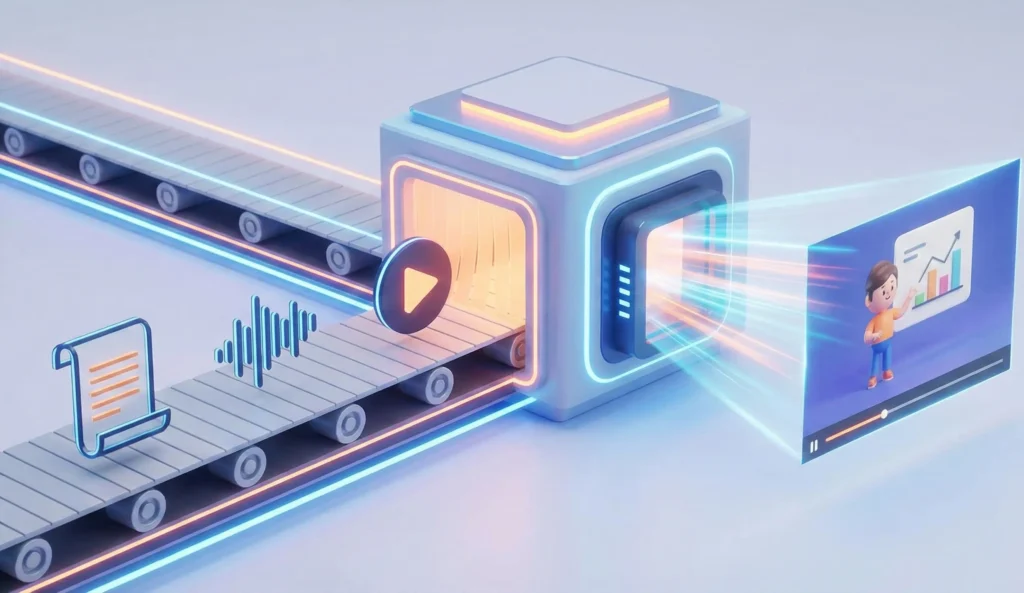
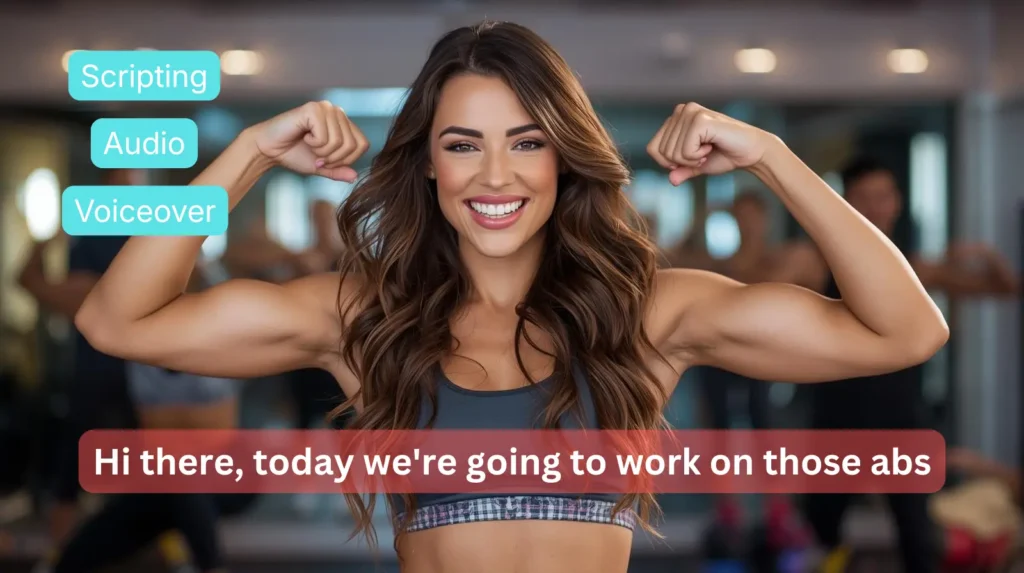
This platform is an AI video tool without filming or editing skills built into the experience. You write the script. You pick a digital presenter from a library of hundreds of photorealistic AI avatars. You click generate. Minutes later, you have a polished, professional-looking video complete with a synchronized voice, subtitles, and your branding. No camera required. No editing software. No presenter fee.
That is a big promise. This review is here to tell you whether it holds up. We tested HeyGen across multiple real-world use cases: training video creation, YouTube content, agency client work, and multilingual marketing. Here is the honest version of what we found.
Quick Info: HeyGen at a Glance
| Detail | Information |
| Category | AI Video Generation / Avatar Video Platform |
| Website | www.heygen.com |
| Starting Price | Free plan available; Creator from $29/month; Pro $99/month; Business $149/month + seats |
| Primary Use | AI avatar videos, video translation, digital twins, training content, marketing videos |
| Best For | Content creators, L&D teams, agencies, marketers who need video without on-camera production |
| Languages Supported | 175+ languages and dialects for translation and dubbing |
| Avatar Options | 700+ stock avatars; custom Digital Twin from a 15-second recording |
| Notable Awards | G2’s #1 Fastest Growing Product of 2025 |
Quick Facts
- HeyGen was founded in 2020 by Joshua Xu and Wayne Liang and has raised over $65 million in funding.
- The platform is used by more than 100,000 businesses worldwide, including a significant number of Fortune 500 companies.
- Avatar IV, launched in mid-2025, produces full-body motion-captured avatars with natural hand gestures and micro-expressions that are widely regarded as the most photorealistic in the category.
- HeyGen’s video translation feature supports 175+ languages with lip-sync accuracy, meaning a video recorded in English can appear to have been spoken natively in Spanish, German, Japanese, or dozens of other languages.
- The Digital Twin feature lets you create an AI clone of yourself from a 15-second webcam recording, with consent verification required.
- SCORM export is available on Business and Enterprise plans, making HeyGen compatible with corporate learning management systems.
- The platform integrates with HubSpot, Zapier, and Pipedream, connecting it to thousands of other tools in marketing and operations stacks.
- A permanent free plan is available with no credit card required, giving access to 3 videos per month at up to 3 minutes each.
What Is HeyGen?
HeyGen is a cloud-based platform that lets you create videos using AI-generated presenters rather than real people. Instead of hiring a presenter, booking a studio, and spending hours in post-production, you provide a script and the platform builds the video for you using a photorealistic digital avatar that speaks your words with natural voice, synchronized lip movement, and realistic body language.
The simplest way to explain it to someone who has never used AI video tools: imagine you could hire a professional video presenter who works instantly, never makes mistakes, and speaks every language on earth. That is HeyGen in its most basic form.
But by 2026, the platform has grown well beyond that simple idea. It now includes a suite of tools that address several different video production challenges:
- Creating videos from scratch using AI avatars and a typed script
- Translating existing videos into other languages with accurate lip synchronization
- Cloning your own appearance to create a personal Digital Twin for scalable content
- Automating entire video production pipelines through its Video Agent feature
- Generating interactive video experiences through its LiveAvatar technology
What ties all of these together is a single principle: video should not require technical skills to produce. Whether you are a one-person business creating YouTube content, an HR team building onboarding materials, or an agency producing multilingual campaign videos for clients, the platform is designed to make the process accessible to anyone who can type.
Key Features of HeyGen
1. Avatar IV: The Photorealism Standard
HeyGen’s Avatar IV model, introduced in mid-2025 and continuously refined through early 2026, is the feature that consistently draws the most attention from reviewers and users alike. It generates full-body motion-captured avatars with timing-aware hand gestures, natural micro-expressions including blinks and subtle smiles, and lip-sync accuracy that holds up across dozens of languages.
In practice, the results are genuinely impressive. In our testing, Avatar IV videos were shown to people unfamiliar with AI video tools. The majority assumed they were watching a real person. That is not a claim you could have made about AI avatar technology even 18 months ago. The technology has moved fast, and HeyGen is currently leading that movement.
It is worth noting that Avatar IV generation consumes Premium Credits, which are separate from the base subscription allowance. More on that in the pricing section.
2. Video Translation and Dubbing (175+ Languages)
This is arguably HeyGen’s most commercially powerful feature. You upload any existing video of a real person speaking, and the platform translates the content into your target language while simultaneously cloning the speaker’s voice and re-syncing their lip movements to match the new audio. The result looks and sounds as if the person spoke the target language natively.
For content creators, this means a single video can reach audiences in dozens of countries without filming additional footage. For corporate L&D teams, it means one training module can be deployed globally without the cost of hiring voice actors or re-recording sessions. For agencies, it means multilingual campaign deliverables become a far more realistic offering.
The translation quality is strongest in major European and Asian languages. For less common languages, the voice cloning can occasionally feel slightly off in cadence. But for the core use cases this feature was built for, it performs at a level that few competitors have matched.
3. Digital Twin: Your AI Clone
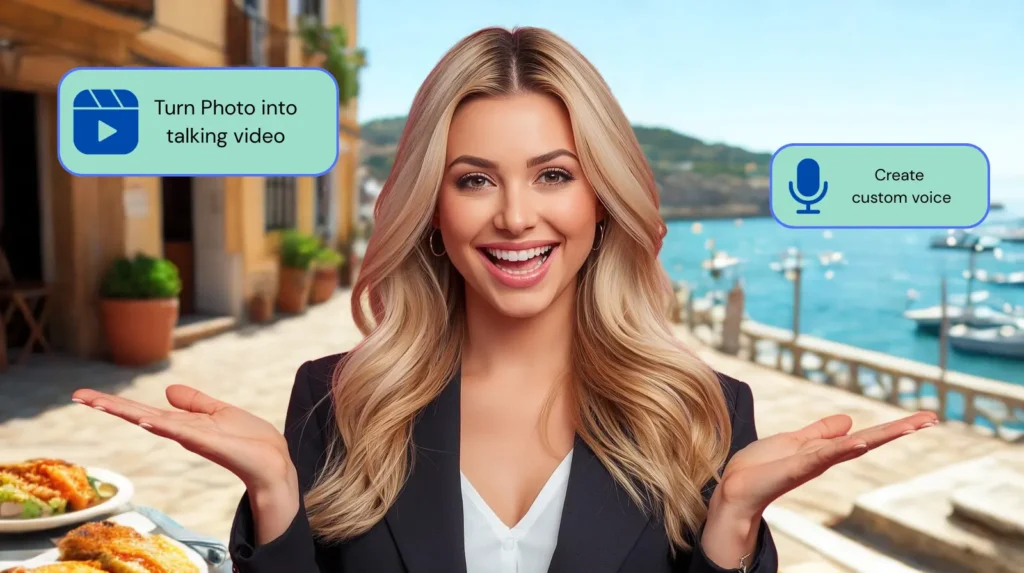
The Digital Twin feature allows you to create a photorealistic AI version of yourself from a 15-second webcam recording. Once created, your Digital Twin can present any script you provide, in any language, at any time, without you ever needing to sit in front of a camera again.
This is the feature that changes the maths for content creators most dramatically. If you produce regular video content, the Digital Twin removes the friction of filming entirely. You write the script, your Twin delivers it, and you spend your time on content strategy rather than production logistics.
HeyGen requires explicit consent verification before creating a Digital Twin, which is the appropriate safeguard given the technology involved. The free plan includes one Digital Twin slot; the Business plan includes five.
4. Video Agent 2.0
Video Agent is HeyGen’s most ambitious feature in terms of automation. It works similarly to the workflow concept seen in tools like Copy.ai: you provide a single text prompt describing the video you want, and the AI handles the entire production pipeline. It generates the script, selects the avatar, chooses a background, adds subtitles, and delivers a finished video.
In testing, Video Agent performed best for straightforward explainer content and social media clips. For more nuanced content with specific brand requirements, you will still want to take manual control of the script and avatar selection. But as a starting point for volume content production, it significantly reduces the time from idea to output.
5. AI Studio and Template Library
The AI Studio is HeyGen’s video editing environment. It provides over 75 templates covering formats including social media clips, corporate presentations, product explainers, training modules, and YouTube content. The text-based editor allows you to control tone, delivery style, gestures, and on-screen text without any video editing knowledge.
The template library is one of the platform’s most underused assets. Many first-time users generate a simple talking-head video and move on, never discovering the branded presentation templates, the split-screen interview formats, or the animated data visualization layouts that can make output look genuinely production-grade.
6. SCORM Export for Corporate Training
For L&D and HR teams, SCORM export is a critical capability that many general-purpose video tools simply do not offer. SCORM is the standard file format used by corporate learning management systems to track employee completion and test results. HeyGen’s Business and Enterprise plans support SCORM export, making it a genuinely viable tool for regulated industries where training compliance is non-negotiable.
Combined with the multilingual translation feature, this makes HeyGen particularly compelling for global organizations that need to deploy consistent training content across multiple regions and languages.
7. LiveAvatar for Real-Time Interaction
LiveAvatar is HeyGen’s most forward-looking feature. It enables real-time interactive AI avatars that can respond to viewer input, making it possible to create AI-powered customer service agents, interactive training experiences, and personalized sales tools. The free tier offers limited LiveAvatar access; the Essential plan at $99 per month unlocks broader capability.
This feature is still maturing, but for agencies and technology teams exploring conversational AI applications, it represents a meaningful capability that most video platforms do not yet offer.
Who Is HeyGen For?
The core promise of this platform, being an AI video tool without filming or editing skills, applies broadly. But the feature set makes it particularly strong for three specific audiences.
Content Creators and YouTubers
If you produce regular video content and find the filming and editing process the most time-consuming part of your workflow, HeyGen addresses that friction directly. The Digital Twin feature is the standout capability here: once set up, you can produce a polished video from a script in the time it would normally take you to set up your lighting. For creators publishing at high frequency, that time saving compounds quickly.
The platform is also genuinely useful for creators who are camera-shy or who want to maintain a consistent on-screen presence without the variability of real-life filming conditions. Bad hair days, background noise, and poor lighting become irrelevant when your presenter is a Digital Twin.
Corporate L&D and HR Teams
HeyGen is one of the strongest options in this category specifically because of the combination of SCORM export, multilingual translation, and avatar consistency. You can build a training module once, translate it into 20 languages, and deploy it across every region of your organization with no additional filming. The avatar does not age, leave the company, or require scheduling.
For organizations that have historically outsourced training video production, the cost comparison is stark. A single professionally produced training video can cost thousands of dollars. HeyGen’s Business plan enables teams to produce the same quality of content internally at a fraction of that cost.
Agencies and Freelancers
For agencies managing video content for multiple clients, the Brand System and workspace management tools make HeyGen practical at scale. You can maintain separate brand identities for different clients, produce multilingual deliverables without subcontracting translation work, and turn around video content at a pace that traditional production cannot match.
Freelance content creators benefit from similar capabilities. The ability to offer professional video production without a production setup is a genuine differentiator when pitching clients, particularly those in markets where video production costs have historically been prohibitive.
Who Should Look Elsewhere
Filmmakers, documentary producers, and video creators whose work depends on authentic human presence and cinematic craft will find HeyGen limiting. The platform is optimized for information delivery and commercial content, not storytelling that requires the grain and imperfection of real footage. Similarly, very small businesses with no budget and no immediate need for multilingual content may find the free plan limiting and the paid plans hard to justify at early stages.
Pros and Cons
The Strengths
- Avatar IV produces genuinely photorealistic results that consistently impress first-time viewers unfamiliar with AI video tools.
- The video translation feature with lip-sync accuracy across 175+ languages is the most commercially powerful feature in the platform and currently leads the market.
- The Digital Twin setup is fast, ethical (consent verification is required), and transformative for creators who produce regular content.
- SCORM export makes the platform a credible choice for corporate training and L&D workflows.
- The free plan is a genuine evaluation tool, not a limited demo. You can assess the avatar quality and core workflow before committing to a paid subscription.
- The template library and AI Studio editor are significantly more capable than most first-time users realize.
- Integration with Zapier, HubSpot, and Pipedream connects the platform to existing marketing and operations workflows.
The Weaknesses
- The Premium Credits system adds a layer of cost complexity that can make budgeting unpredictable. Advanced features like Avatar IV generation consume credits that are capped on most plans, and heavy users can exhaust their monthly allowance faster than expected.
- Customer support has received consistent criticism for slow response times and reliance on automated replies, particularly on plans below Business tier.
- Avatar IV minutes are capped even on paid plans, which can frustrate users who assumed unlimited video generation meant unlimited access to the best quality.
- The Business plan at $149 per month represents a significant price jump from the Pro plan at $99, and the team collaboration features it unlocks require that investment even for small teams.
- For highly nuanced or emotionally complex content, avatar expressions still occasionally miss the mark. The technology is excellent, but it is not yet indistinguishable from a skilled human presenter in every context.
- The interface, while generally clean, can feel overwhelming for complete beginners navigating the difference between Avatar III, Avatar IV, Premium Credits, and Digital Twins for the first time.
HeyGen Pricing Analysis
HeyGen’s pricing structure is more layered than a simple monthly fee suggests. Understanding it before you buy will save you from surprises on your first invoice.
| Plan | Price | Best For | Key Inclusions |
|---|---|---|---|
| Free | $0/month | Evaluating the platform | 3 videos/month, Avatar IV access, watermarked output, 3-min video cap |
| Creator | $29/month | Solo creators, freelancers, YouTubers | Unlimited Avatar III, 1080p export, 200 Premium Credits/month (~10 min Avatar IV) |
| Pro | $99/month | High-volume solo producers | 4K export, 10x more Premium Credits, longer video length, no watermark |
| Business | $149/month + $20/seat | Teams, L&D, agencies | SCORM export, team workspace, SSO, CRM integrations, 5 Digital Twin slots |
| Enterprise | Custom pricing | Large organizations | No video duration cap, dedicated support, Digital Twin API, advanced security |
The Premium Credits Explained
This is the part of HeyGen’s pricing that confuses most new users, and it is important to understand before you commit. Not all video generation on HeyGen is treated equally. Standard Avatar III video creation is unlimited on all paid plans. But advanced features, specifically Avatar IV generation and lip-synced video translation, consume Premium Credits, which are allocated monthly and vary by plan.
On the Creator plan, 200 monthly Premium Credits translate to roughly 10 minutes of Avatar IV video. For a creator publishing one Avatar IV video per week, that allowance is likely sufficient. For heavier users, premium credits can be topped up as add-ons, but those costs need to be factored into your real monthly budget.
In February 2026, HeyGen improved transparency around this system: they now show upfront cost estimates before you generate content, and audio dubbing without lip sync became fully unlimited on all paid plans. These are welcome changes that make the platform fairer to use, but the credit system remains worth understanding before you sign up.
The annual billing discount is consistent at around 20%, making the Creator plan effectively $24 per month when paid yearly. For anyone planning to use the platform regularly, the annual commitment is the better financial decision.
HeyGen vs. The Competition
The AI video market has grown quickly, and HeyGen now operates in a category with several credible alternatives. Here is how the platform compares to the five tools most frequently evaluated alongside it.
← Scroll to see full comparison
| Tool | Best For | Starting Price | Avatar Quality | Translation | SCORM Export |
|---|---|---|---|---|---|
| HeyGen Our Pick | Creators, L&D, agencies | Free / $29 | Best in class (Avatar IV) | 175+ langs, lip-sync | Business+ only |
| Synthesia | Enterprise compliance | $29/month | Excellent (240+ avatars) | Strong | All tiers |
| InVideo AI | Social media volume | Free / $25 | Moderate | Limited | No |
| Pictory AI | Content repurposing | $19/month | No avatars | Basic | No |
| VEED | Editing-first creators | Free / $12 | Good (multi-model) | Auto subtitles | No |
| Colossyan | Interactive training | $19/month | Good | Yes | All plans |
HeyGen vs. Synthesia
Synthesia is the most direct competitor and the comparison users ask about most often. Both platforms offer photorealistic AI avatars, multilingual output, and corporate use cases. The meaningful differences come down to priorities.
Synthesia has a stronger enterprise compliance posture. It is SOC 2 Type II, GDPR, and ISO 42001 certified, and it is used by over 90% of the Fortune 100 according to the company’s own data. For organizations where security governance and audit trails matter more than cutting-edge feature velocity, Synthesia is often the safer choice at the procurement level.
HeyGen leads on raw technology and feature innovation. Avatar IV is currently more photorealistic than Synthesia’s avatar models in independent comparisons, and the lip-sync video translation feature is more advanced. For teams that prioritize creative output quality and access to the newest capabilities, the platform holds an edge. Synthesia starts at $29 per month with 120 minutes of video per year on its Starter plan, making the pricing comparison fairly even at entry level.
HeyGen vs. InVideo AI
These tools solve different problems. InVideo AI is built for speed and volume: you give it a text prompt or a URL, and it generates a complete social media video with stock footage, voiceover, and subtitles in minutes. Its Magic Box feature, which lets you edit video using plain text commands, is genuinely clever for marketers who need to produce large numbers of social clips quickly.
HeyGen is the stronger choice when the quality of the presenter matters. InVideo AI does not offer photorealistic avatars at HeyGen’s level, and its voice output can feel generic by comparison. If your content requires a credible, professional-looking spokesperson, this platform is the better fit. If you need 50 social clips per week from content you already have, InVideo AI may be more efficient.
HeyGen vs. Pictory AI
Pictory AI operates in a related but distinct space. It does not have AI avatars at all. Its core strength is converting text content, specifically blog posts, articles, scripts, and webinar recordings, into shareable videos using a library of over 3 million stock clips. For content marketers who need to repurpose written content into video format quickly, Pictory is efficient and well-priced.
The limitation is that Pictory’s AI-selected stock footage can be hit-and-miss for niche topics. It works well for broad, visually generic subjects but struggles with anything technical or specialized. HeyGen solves this problem by using a human-like presenter rather than stock footage, which means the content is always contextually appropriate regardless of topic.
HeyGen vs. VEED
VEED approaches video from an editing-first perspective. It is a full-featured browser-based video editor that has added AI generation capabilities, including avatar video. What makes VEED distinctive is its access to multiple underlying AI video models, including Google Veo and Luma Ray, allowing users to pick the model that best suits the style of video they want. Its editing environment is considered one of the most intuitive in the category.
For creators who want to generate AI video and then edit it heavily before publishing, VEED is a strong option. For creators who want to go from script to finished video with minimal editing, HeyGen’s end-to-end avatar workflow is more streamlined. VEED also lacks SCORM export, which removes it from consideration for corporate L&D use cases.
HeyGen vs. Colossyan
Colossyan is a specialist tool built specifically for e-learning and corporate training. Its branching scenario feature, which allows videos to present choices to viewers and deliver different content depending on their selections, is something HeyGen does not currently match. For L&D teams building interactive training modules with decision trees and compliance assessments, Colossyan is more purpose-built.
HeyGen is more versatile overall. Its stronger avatar realism, superior translation quality, and broader template library make it the better choice for teams that produce a range of video content types rather than exclusively training materials. Colossyan starts at $19 per month, making it the more affordable option for teams with a narrow, training-focused use case.
The Bottom Line: What HeyGen Actually Changes
If you have ever skipped creating a video because the production process felt too complicated, too expensive, or too time-consuming, this platform directly removes that barrier. Being an AI video tool without filming or editing skills at its core means it genuinely delivers on the promise that video production does not require a production team. For the right user, that is transformative.
Content creators who publish regularly will find the Digital Twin feature changes their production economics entirely. L&D teams with global training requirements will find the multilingual lip-sync translation feature solves a problem that previously required significant budget and coordination. Agencies will find the combination of quality output and production speed difficult to match with traditional methods.
The areas to watch carefully are the Premium Credits system and the support experience below Business tier. Understand the credit caps before you commit, particularly if Avatar IV quality is central to your use case. And if responsive support matters to your workflow, budget for the Business plan rather than assuming Pro-level service.
The free plan is the right place to start. Three free videos per month with access to Avatar IV is enough to form a genuine opinion about whether the quality and workflow suit your needs. Use that evaluation honestly before spending a dollar.
You may also like:
Is VEED Worth It? 7 Reasons to Switch in 2026
10 Best Fliki AI Review Tips to Scale Content
Leonardo AI Image Generator Is The Most Versatile Tool for Creative Professionals
Best AI Video Tools
Frequently Asked Questions
Do I need any video editing experience to use HeyGen?
No. The platform is specifically designed for people without video production backgrounds. You write a script, select an avatar, and generate the video. The AI handles the rest. More advanced features like the AI Studio editor give you additional control if you want it, but none of it requires technical video skills.
What is the difference between Avatar III and Avatar IV?
Avatar III is HeyGen’s standard avatar model, available with unlimited generation on all paid plans. Avatar IV is the premium model introduced in 2025 with significantly more photorealistic motion, micro-expressions, and lip-sync accuracy. Avatar IV generation consumes Premium Credits, which are capped monthly depending on your plan.
Can I create a video of myself using HeyGen?
Yes. The Digital Twin feature creates an AI clone of your appearance from a 15-second webcam recording. Once set up, your Digital Twin can present any script you provide without you needing to film again. HeyGen requires consent verification before creating a Digital Twin, which is the appropriate safeguard for this technology.
How realistic is the video translation feature?
For major languages including Spanish, French, German, Portuguese, Japanese, and Chinese, the lip-sync translation quality is strong enough that most viewers do not notice the original video was in a different language. For less common languages, quality is generally good but may occasionally feel slightly off in timing. HeyGen currently offers the broadest language coverage in this category at 175+ languages.
Is HeyGen suitable for corporate training content?
Yes, particularly from the Business plan upward. SCORM export makes HeyGen compatible with learning management systems, and the multilingual translation feature allows a single training module to be deployed across global teams. For organizations producing compliance, onboarding, or product training content at scale, the cost comparison versus traditional production is compelling.
What happens if I run out of Premium Credits?
You can purchase additional Premium Credit packs as add-ons to your existing plan. Standard Avatar III video creation and audio dubbing without lip sync are unlimited on all paid plans, so running out of Premium Credits does not stop you from creating content. It limits access to the most advanced generation features until your credits reset or you purchase more.
How does HeyGen compare to hiring a freelance video producer?
For recurring, structured content like training videos, product explainers, or regular YouTube uploads, HeyGen is significantly faster and more cost-effective than traditional production. For one-off projects requiring cinematic quality, documentary-style storytelling, or content that benefits from the authenticity of a real human on camera, a skilled freelance producer will still produce a more distinctive result. The two are complementary rather than mutually exclusive for most businesses.
Where can I learn more about HeyGen?
The full feature set, current pricing, and a free trial are available at the official HeyGen website. We also recommend our related guides on choosing the right AI video tool for your workflow.
This review is based on hands-on testing and publicly available information as of early 2026. Pricing, plan names, and features may change. Always verify current details at the official HeyGen website before purchasing. This article aligns with our blog mission: making AI tools easy to understand so you can make confident, informed choices.