The Professional’s Choice for Generative Music?
In the early days of generative AI music, Udio arrived as the sophisticated “older sibling” to the more playful Suno. While other tools focused on quick, viral catchy hooks, Udio promised something different: high-fidelity, studio-grade audio that actually felt like it was recorded in a room with real instruments.
As we move through 2026, the platform has undergone a massive transformation. It survived a high-stakes legal battle with the world’s largest record labels and emerged as a partner to the industry rather than an antagonist. But with these “official” partnerships come new restrictions and a shift in how we create. Is Udio still the best tool for serious creators, or has the “walled garden” approach stifled its creative soul?
The 30-Second Verdict
Udio remains the gold standard for audio fidelity and musical complexity. If you need a track that sounds like it was mixed by a human engineer, Udio is your tool. Its strength lies in its “piece-by-piece” construction method and superior instrumental separation. However, its workflow is more time-consuming than Suno’s, and the 2026 legal landscape means you have to follow strict disclosure rules if you plan to release your tracks commercially.
What is Udio?
Udio is a generative AI music platform that allows users to create full-length songs from simple text descriptions. Unlike many of its competitors, Udio wasn’t built just to be a “song machine”; it was designed to be a “creative environment.”
In 2026, Udio utilizes the Allegro v1.5 architecture. This model doesn’t just predict the next note; it understands the physics of sound and the nuances of performance. When you ask for a “smoky jazz trumpet,” you don’t just get a trumpet sound; you get the sound of the air moving through the valves and the specific reverb of a small club.
The core difference between Udio and its rivals is the Extension Workflow. Instead of giving you a 2-minute song in one go, Udio generates 32-second sections. You then choose whether to extend the song forward (adding a verse) or backward (adding an intro). This “construction project” approach is exactly why professional producers prefer it—it allows for precise control over the song’s narrative arc.
Key Features of Udio
The platform has added several “pro-grade” features over the last year that have distanced it from being a simple hobbyist tool.
1. Allegro v1.5 Model: High-Fidelity Audio
The v1.5 model, released in 2025 and refined in early 2026, pushed the audio ceiling to 48kHz/24-bit (High-Res Audio). While Suno focuses on “punchy” radio-ready sound, Udio focuses on “dynamic range.” This means the drums have actual weight, the vocals aren’t buried in digital artifacts, and the stereo field feels wide and immersive.
2. “Voices” & Vocal Consistency
One of the biggest hurdles in AI music was the “disappearing singer” problem. In previous versions, if you extended a song, the singer’s voice might change slightly between the verse and the chorus. Udio’s Voices feature allows you to “lock in” a vocal profile. You can even train a voice on your own 30-second singing clip, allowing you to use your own “AI avatar” across an entire album.
3. Inpainting (Selective Editing)
Udio’s Inpainting tool is a game-changer for anyone who has ever loved a generated track but hated one specific word or one bad guitar note. You can highlight a specific 2-to-10-second window of your song and tell the AI to “regenerate only this part.” This level of surgical precision is still something many other AI music tools lack.
4. Audio-to-Audio (Style Reference)
In 2026, you don’t always have to start with a text prompt. You can upload a 30-second recording of yourself humming, playing an acoustic guitar, or even a basic beat you made in another app. Udio then uses this as a “seed,” building a professional arrangement around your original melody while keeping the “soul” of your performance.
The 2026 Workflow: Building a Track Piece-by-Piece
If you are coming from Suno, the Udio workflow might feel slow at first. But this is where the quality comes from. Here is how a typical professional session looks in 2026:
The Seed: You start with a 32-second clip. You define the genre, the mood, and the instrumentation.
The Choice: Udio gives you two variations. You pick the one that has the best “vibe.”
The Extension: You choose to “Extend” that clip. You can add a 32-second section before it (Intro) or after it (Verse/Chorus).
The Polish: Once you have a 3-minute song, you use Inpainting to fix any weird lyrics or glitches.
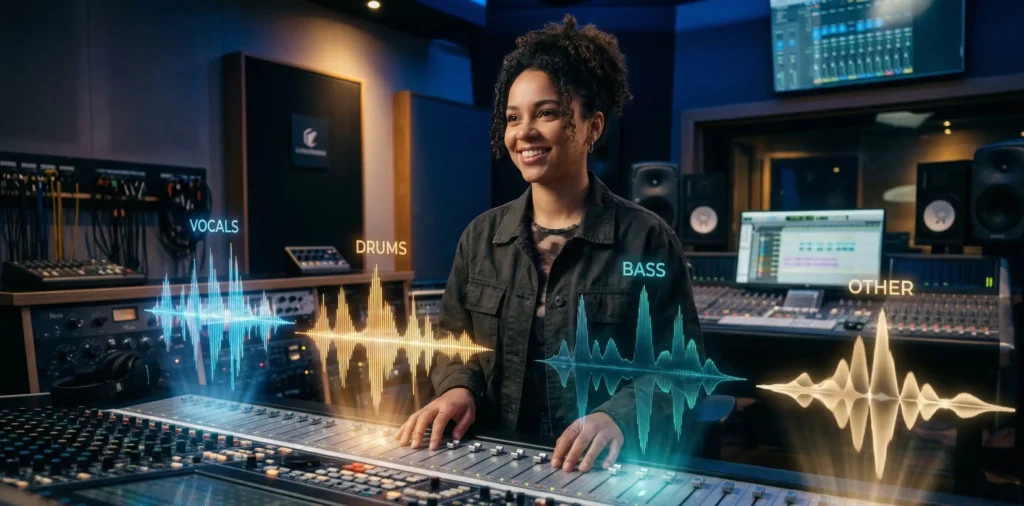
The Export: On a Pro plan, you export the Stems (separate files for drums, bass, vocals, and instruments) to take into a DAW like Ableton for a final mix.
Pros and Cons: A Realistic Breakdown
Pros | Cons |
| Superior Audio Quality: The cleanest instrument separation in the AI industry. | Steep Learning Curve: It takes time to master the extension and inpainting tools. |
| Musical Complexity: Handles complex genres like Jazz, Classical, and Math-Rock better than rivals. | Slow Generation: Generating a full 4-minute song can take 10+ minutes of active work. |
| Industry Licensed: Your Pro subscription includes a legal “safe harbor” from major label lawsuits. | Credit Intensive: Because you build piece-by-piece, you can burn through credits quickly. |
| Stem Export: Essential for professional producers and mixing engineers. | Vocal “Mumbles”: Occasionally generates gibberish lyrics that require manual fixing. |
Pricing
Udio recently overhauled its pricing structure following the 2025 Universal Music Group settlement.
Free Plan ($0): Great for testing. You get 100 credits per month. You cannot download these tracks for commercial use, and they are watermarked with an invisible digital “fingerprint.”
Standard Plan ($10/mo): 1,200 credits. This gives you commercial rights to your creations and access to high-quality WAV downloads. This is the best choice for YouTubers and small creators.
Pro Plan ($30/mo): 4,800 credits. This unlocks Stem Export, bulk downloads, and early access to the newest models. If you are a serious musician or music producer, this is the only tier that makes sense.
Settlement and Ownership
This is the most important section for anyone looking to monetize their music. In late 2025, Udio reached a landmark settlement with Universal Music Group (UMG) and Warner Music Group (WMG).
What this means for you:
Licensed Training: Udio’s 2026 models are trained on licensed catalogs. This means you are legally protected when you use the tool on a paid tier.
Copyright Disclosure: Under 2026 regulations, you must disclose if a track is AI-generated when submitting it to major platforms like Spotify. Failure to do so can result in your artist account being flagged.
The “Human Touch” Rule: To legally copyright your song (and stop others from stealing it), you must add significant “human authorship.” Simply exporting a raw file from Udio isn’t enough. We recommend using the Stem Export and adding at least one human-played instrument or custom vocal track in a DAW.
Comparison: Udio vs. Suno vs. The Field
To help you decide, let’s look at how Udio stacks up against the other big names in 2026.
Udio vs. Suno AI
Audio Quality: Udio wins. It sounds like a studio recording; Suno often sounds like a high-quality MP3.
Vocals: Suno wins for “pop” appeal and catchy hooks. Udio’s vocals feel more “organic” but are harder to control.
Speed: Suno is a “one-click” wonder. Udio is a “project.”
Udio vs. Boomy
Complexity: Udio is for musicians; Boomy is for people who want to generate 100 lo-fi beats for a “study” playlist in five minutes.
Udio vs. Soundraw
Customization: Soundraw is better if you just want to move “sliders” to change the energy of a background track. Udio is better if you want a specific “song” with a story.
Who is Udio Best For?
Professional Music Producers: Use it to “prototype” ideas or generate vocal stems that you can pitch-shift and process in your own software.
Filmmakers & Game Devs: The high-fidelity orchestral and cinematic outputs are far superior to stock music libraries.
Songwriters with “Writer’s Block”: Upload a basic guitar melody and let Udio show you three different ways the song could go.
Hybrid Artists: Musicians who want to combine their own live instruments with AI-generated textures and arrangements.
Final Verdict
Udio is currently the most powerful tool for anyone who cares about the craft of music. It is not an “instant gratification” machine like some of its competitors, and that is its greatest strength. By forcing you to build your song piece-by-piece, it keeps the human in the driver’s seat.
If you are a casual user who just wants a funny song for a birthday party, Suno is a better (and faster) choice. But if your goal is to release music on Spotify, create a professional soundtrack for a movie, or push the boundaries of what “hybrid music” can be, Udio is the undisputed leader. Despite the tighter regulations of 2026, the creative freedom offered by the v1.5 model is simply unmatched.
FAQ
Can I use Udio for free?
Yes, but only for personal experimentation. You cannot monetize free tracks, and they will include an invisible “AI-generated” watermark.
Does Udio work for non-English songs?
Yes. In 2026, Udio supports over 50 languages with native-sounding accents. It is particularly strong in Spanish, Japanese, and French pop.
What are “Stems” and why do I need them?
Stems are separate tracks for your drums, bass, vocals, and instruments. They allow you (or a mixing engineer) to change the volume or effect on just one part of the song without affecting the rest.
Can I sound like a famous artist on Udio?
No. Following the 2025 settlements, Udio has strict filters that prevent the generation of “lookalike” or “soundalike” voices of famous celebrities to protect their name, image, and likeness (NIL) rights.
This review reflects hands-on testing and publicly available information as of early 2026. Pricing and features may change. Always verify current details on the official Udio website before purchasing.