The AI Video Tool That Repurposes Existing Content
Most content creation tools start with a blank page. Pictory AI starts somewhere different: with the content you already have. Blog posts, webinar recordings, podcast episodes, interview transcripts, presentation slides. The platform’s core purpose is to turn all of it into shareable, professional-looking video without requiring any video editing skill or additional production time.
That is a distinct value proposition in a market full of tools that ask you to create from scratch. For content teams who feel the pressure to produce video without the budget or bandwidth to do it traditionally, this AI video tool that repurposes existing content offers a genuinely practical answer to a real problem.
After thorough testing across multiple content types and workflows, here is what we actually found.
Quick Info: Pictory AI at a Glance
| Detail | Information |
| Category | AI Video Creation / Content Repurposing Platform |
| Website | https://pictory.ai |
| Starting Price | 14-day free trial; Starter from $19/month (annual); Professional $35/month; Teams $99/month |
| Primary Use | Blog-to-video, URL-to-video, webinar repurposing, faceless YouTube content, social media clips |
| Best For | Content marketers, bloggers, YouTubers, podcasters, educators, marketing agencies |
| Stock Library | 18M+ royalty-free videos and images (Getty Images, Storyblocks); 15,000+ music tracks |
| Languages | 20+ languages for AI voiceover; captions in multiple languages |
| No Permanent Free Plan | Free trial only (3 video projects, up to 10 minutes each) |
Quick Facts
- Pictory AI was founded in 2019 and is headquartered in Seattle, Washington. It focuses exclusively on the content repurposing and text-to-video use case rather than avatar-based presenter video.
- The platform includes a library of over 18 million royalty-free media assets from Getty Images and Storyblocks, which is one of the largest stock libraries available in any AI video tool.
- Text-based video editing is one of Pictory’s most distinctive features: you edit the video by editing the text transcript, and the platform removes the corresponding footage automatically.
- The Professional plan introduces hyper-realistic AI voices powered by ElevenLabs, which represents a significant quality step up from standard AI voiceover.
- Automatic caption generation is included on all plans, with styling and positioning controls that make the output suitable for social media without additional editing.
- The Teams plan supports three user accounts with shared projects and bulk video downloads, making it the entry point for collaborative content workflows.
- Pictory does not have a permanent free tier. The 14-day free trial allows three full video projects of up to 10 minutes each, which is enough to genuinely evaluate the platform.
- The platform’s API is available for enterprise clients, enabling automated video generation at scale from existing content management systems.
What Is Pictory AI?
Pictory AI is a cloud-based video creation platform built around a single central idea: the content you already have is more valuable than you are using it for. Most organizations produce written and recorded content regularly but fail to convert it into video because the production process is too slow, too expensive, or requires skills the team does not have. Pictory removes those barriers.
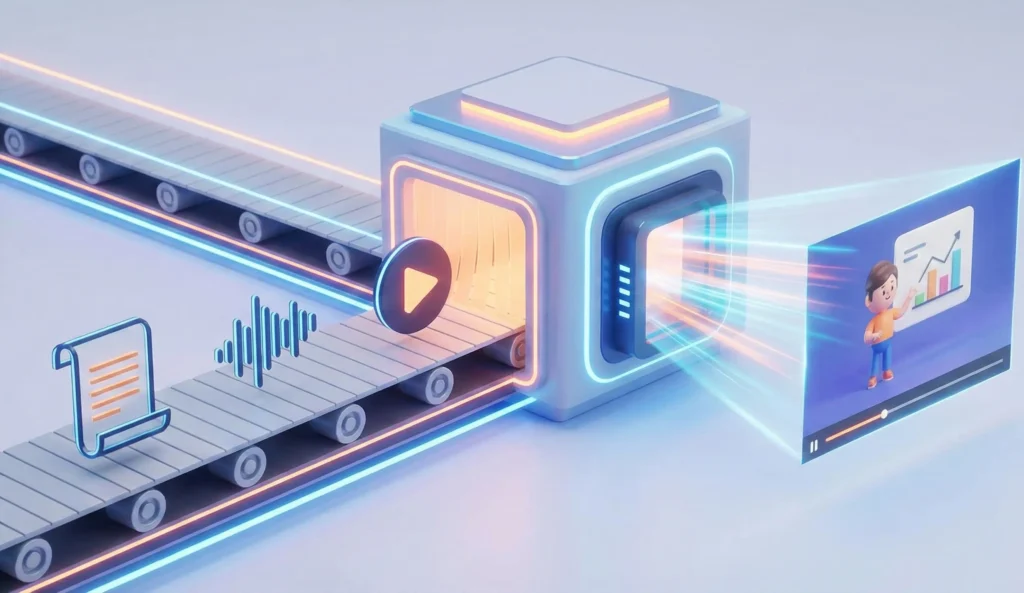
The platform works across several content input types. You can paste in a blog post URL and it builds a video from the article. You can upload a webinar recording and it extracts the highlights into shareable clips. You can paste a script and it assembles a storyboard with matching stock footage. You can import a PowerPoint presentation and it converts each slide into a video scene. In each case, the AI handles the heavy lifting: selecting visuals, timing transitions, generating captions, and adding music.
What makes this AI video tool that repurposes existing content different from general-purpose video generators is its orientation toward the content you already own rather than content you need to create. That distinction matters enormously for content teams whose problem is not lack of ideas but lack of time to turn those ideas into multiple formats.
Key Features of Pictory AI
1. Script to Video
The most widely used workflow. You paste in a script or article text, and Pictory builds a complete storyboard by matching each section of text with relevant stock footage from its library of 18 million assets. The AI selects visuals based on the semantic content of the text, which works well for general topics and occasionally requires manual adjustment for niche or technical subjects where stock footage coverage is thin.
Once the initial storyboard is generated, you can swap any footage clip, adjust the timing, change the voiceover, add music, and apply your brand colors and logo. The interface keeps these controls accessible without requiring any video editing knowledge to operate.
2. Blog and URL to Video
This feature is where Pictory’s core value proposition is most clearly demonstrated. You paste a URL from any publicly accessible web page and the platform reads the content, summarizes it into a video script, matches each scene with stock footage, and produces a finished video ready for YouTube, LinkedIn, or social media. For content teams publishing regular written articles, this is a direct path to doubling the reach of every piece of content without doubling the production work.
The quality of the output depends on the quality and structure of the source article. Well-organized long-form content converts cleanly. Dense technical writing with limited visual hooks tends to produce more generic footage selections that require more manual adjustment.
3. Text-Based Video Editing
This is one of Pictory’s most genuinely useful innovations for non-video users. Every video you create in Pictory comes with an editable text transcript. To remove a section of the video, you simply delete that text from the transcript. The platform automatically removes the corresponding footage. To reorder scenes, you reorder the text. For people who find timeline-based video editors intimidating, this workflow removes the learning curve almost entirely.
The same approach applies to webinar and long recording repurposing. Upload a one-hour recording, get a transcript, highlight the moments you want to keep, and Pictory clips the footage to match. What might take an hour in a traditional editor takes minutes in this workflow.
4. Webinar and Long Video Highlight Extraction
For organizations that produce regular long-form video content: webinars, product demos, conference recordings, interview series, Pictory’s highlight extraction feature creates significant value from assets that would otherwise go underused. You upload the recording, the AI transcribes it, identifies the most informative or engaging moments, and presents them as short clip candidates. You approve, adjust, and export.
This is particularly useful for marketing teams that produce monthly webinars. One 60-minute recording can become six to eight shareable social clips, a summary video for YouTube, and a written recap, all within a single session in the platform.
5. AI Voiceover with ElevenLabs Integration
Standard AI voices are included on all plans. From the Professional plan upward, Pictory integrates with ElevenLabs to provide hyper-realistic AI voices with natural pacing, emotion, and accent accuracy. For content that will represent a brand publicly, the ElevenLabs voices represent a significant quality improvement over standard text-to-speech output. You can also upload your own recorded voiceover and have Pictory sync it with the generated footage.
6. Automatic Captions and Brand Customization
Captions are generated automatically and are included on all plans. Styling controls allow you to adjust font, color, size, and position to match your brand, and the output meets accessibility standards that many platforms require for published video content. Brand customization extends to logos, color schemes, and intro and outro sequences, which can be set once and applied automatically to every video you produce.
7. Stock Library: 18 Million Assets
The scale of the stock library is one of Pictory’s genuine competitive advantages. Access to 18 million royalty-free videos and images from Getty Images and Storyblocks means that for most content topics, there is relevant footage available without leaving the platform or incurring additional licensing costs. For teams that would otherwise spend time and budget sourcing stock media separately, this inclusion has clear financial value.
Who Is Pictory AI For?
Content Marketers and Bloggers
If your team regularly publishes written content and wants to extend its reach into video formats without adding production overhead, Pictory is one of the most efficient tools available for that specific job. The URL-to-video and blog-to-video features work quickly, and the quality of the output is consistent enough for professional use on most platforms.
Faceless YouTube Channel Creators
Pictory has become one of the most popular tools in the faceless YouTube space, where creators produce video content without appearing on camera. The combination of script-to-video generation, AI voiceover, automatic captions, and a massive stock library provides everything needed to produce a polished YouTube video without any on-camera presence or traditional editing. Many creators in this space report the Professional plan paying for itself within the first month.
Podcasters and Webinar Producers
For any creator or organization producing regular audio or long-form video content, the highlight extraction and text-based editing features solve a real problem. Turning a weekly podcast into a LinkedIn video clip or converting a webinar into a YouTube summary video becomes a fast, repeatable workflow rather than an additional production task.
Educators and Course Creators
The platform’s ability to convert scripts, presentations, and existing lecture content into polished video makes it useful for educators who need to produce video materials without video production expertise. The caption generation adds accessibility compliance automatically, which is a meaningful practical benefit for institutional content.
Who Should Look Elsewhere
Teams that need photorealistic avatar presenters will need to look at HeyGen or Synthesia. Pictory does not offer the same level of AI avatar quality, and its presenter options are more limited. Organizations with enterprise compliance requirements, SCORM export needs, or multilingual training content at scale will also find Synthesia a more purpose-built fit. Pictory is optimized for content repurposing and volume; it is not the right tool for structured corporate training or compliance content.
Pros and Cons
The Strengths
- The blog and URL to video workflow is one of the fastest and most practical content repurposing tools in the market, directly addressing a common pain point for content teams.
- Text-based video editing removes the video editing learning curve almost entirely, making professional-quality output accessible to anyone who can edit a document.
- The 18 million asset stock library, with Getty Images and Storyblocks content included, removes additional stock licensing costs from the production budget.
- Highlight extraction from webinars and long recordings is a genuine time saver for teams producing regular long-form content.
- ElevenLabs integration on the Professional plan produces voice quality that is genuinely comparable to professional voiceover recording for most use cases.
- Automatic caption generation with brand styling meets accessibility standards without additional tools.
- Pricing is straightforward and transparent, with no hidden credit systems or complex usage tiers. What you pay for is what you get.
The Weaknesses
- There is no permanent free plan. The 14-day trial is genuinely useful for evaluation, but teams that want to test the platform casually over a longer period before committing will need to pay.
- AI-selected stock footage can be generic or off-topic for niche and technical subjects. Expect to spend time manually replacing clips for specialized content.
- Avatar presenter quality is not comparable to HeyGen or Synthesia. For content that needs a photorealistic human presenter, Pictory is not the right tool.
- Language support for voiceover is more limited than competitors. Twenty languages is functional but falls short of the 160+ that Synthesia offers for multilingual organizations.
- Some users report that AI voice quality on the Standard plan sounds noticeably synthetic. The ElevenLabs voices on the Professional plan address this, but they come at a higher price point.
- Advanced editing features are limited. For creators who want precise control over transitions, timing, and visual effects, Pictory’s simplified editor will feel constrained compared to dedicated video editing software.
Pictory AI Pricing Analysis
Pictory’s pricing is one of the clearest and most transparent in the AI video category. There are no credit systems, no hidden allowances, and no surprise charges for common features.
| Plan | Price | Video Allowance | Key Inclusions |
| Starter | $19/month (annual) / $23 monthly | 30 videos/month, 60 min transcription | Standard AI voices, 3M+ stock assets, auto captions, brand kit |
| Professional | $35/month (annual) / $47 monthly | 60 videos/month, 120 min transcription | ElevenLabs hyper-realistic voices, 12M+ Getty/Storyblocks assets, 10,000 music tracks |
| Teams | $99/month (annual) / $119 monthly | 90 videos/month, 180 min transcription, 3 users | All Professional features, bulk downloads, shared workspace, collaboration tools |
| Enterprise | Custom pricing | Custom limits | API access, custom integrations, dedicated support, advanced brand controls |
The annual billing discount is worth taking if you plan to use the platform consistently. The Professional plan drops from $47 to $35 per month on annual billing, a saving of over 25%. For a team producing more than 30 videos per month, the Professional plan is the sensible starting point given the voice quality improvement from the ElevenLabs integration alone.
The video count limits are worth understanding before you sign up. On the Starter plan, 30 videos per month sounds generous, but if you are batch-converting webinar highlights or producing multiple social cuts per week, that limit can be reached faster than expected. The transcription minute caps, 60 minutes on Starter and 120 on Professional, apply to uploaded audio and video for editing, which is the more likely constraint for podcast and webinar repurposing workflows.
One genuinely positive note: there is no credit system or complex usage currency. You pay for your plan and produce within the stated limits. That transparency is refreshing compared to platforms that layer premium credit systems on top of subscription fees.
Pictory AI vs. The Competition
Pictory serves a specific use case. Understanding how it stacks up against the tools most commonly compared to it will help clarify whether it fits your workflow.
| Tool | Best For | Starting Price | Avatar Quality | Repurposing | Stock Library |
| Pictory AI | Content repurposing, YouTube | $19/month | Basic | Best in class | 18M+ assets |
| Synthesia | Enterprise L&D | Free / $18 | Excellent (230+) | Limited | Moderate |
| HeyGen | Creators, agencies | Free / $29 | Best in class | Limited | Moderate |
| VEED | Editing-first creators | Free / $12 | Good | Moderate | Good |
| Fliki | Text to narrated video | Free / $21 | Basic | Good | Moderate |
| Sora (OpenAI) | Creative scene generation | ChatGPT Plus | None | None | None (generative) |
| InVideo AI | Social media volume | Free / $25 | Moderate | Good | Large |
Pictory AI vs. Synthesia
These tools are solving fundamentally different problems. Synthesia produces avatar-based presenter video with photorealistic AI humans delivering your script to camera. Pictory produces stock-footage-based video from your existing written or recorded content. If your need is structured corporate training with a professional presenter, SCORM export, and multilingual delivery, Synthesia is the correct choice. If your need is turning a library of blog posts and webinar recordings into shareable video content efficiently, Pictory is more purpose-built for that workflow.
Pictory AI vs. HeyGen
HeyGen and Pictory occupy adjacent but distinct spaces. HeyGen’s Digital Twin and Avatar IV technology produces some of the most realistic AI presenter video available. Pictory does not compete in that arena. Where Pictory leads is in content repurposing volume: its URL-to-video, blog-to-video, and webinar highlight extraction workflows are faster and more mature than what HeyGen offers for similar use cases. If you need a professional on-screen presenter, choose HeyGen. If you need to turn your existing content library into video at scale, Pictory is more efficient.
Pictory AI vs. VEED
VEED is an editing-first platform that has added AI generation capabilities. It gives users more hands-on control over the final output and access to multiple AI video models. For creators who want to generate content and then edit it precisely, VEED offers more flexibility. Pictory’s strength is in reducing the editing requirement almost to zero for content repurposing workflows. If you want control, VEED. If you want speed and simplicity, Pictory.
Pictory AI vs. Fliki
Fliki is a text-to-video tool that shares some overlap with Pictory, particularly in the narrated explainer video space. Fliki’s voice quality is widely praised, and it supports 75+ languages, which is broader than Pictory’s standard voiceover coverage. Where Pictory has a clear advantage is in the repurposing workflow: URL-to-video, webinar highlight extraction, and the massive stock library. For content-to-video conversion at scale, Pictory is more capable. For narrated video creation from scripts in multiple languages, Fliki is worth a direct comparison.
Pictory AI vs. Sora (OpenAI)
Sora is a generative video model that creates original cinematic scenes from text prompts. It is not a content repurposing tool, does not produce narrator-led videos from blog posts, and does not have a stock library or voiceover integration. The comparison is relevant mainly because both appear in the same category searches. They are entirely different tools. Sora excels at creative scene generation. Pictory excels at turning existing content into structured video. They could be used together but they do not compete.
Pictory AI vs. InVideo AI
This is the closest direct comparison. Both platforms produce stock-footage-based video from text or existing content. InVideo AI is stronger for social media volume production and has a faster interface for generating multiple short clips quickly. Pictory’s text-based editing, webinar highlight extraction, and blog URL import are more mature workflows for long-form content repurposing. For social media volume, InVideo AI has an edge. For content marketing teams working with existing long-form assets, Pictory’s specialized features are more practical.
The Bottom Line: What Pictory AI Actually Solves
This blog’s mission is to make AI tools easy to understand and help people make confident choices. For Pictory, the choice is straightforward once you are clear about your situation.
If you already produce written or recorded content and want to extend its reach into video formats without hiring a video team or learning editing software, this AI video tool that repurposes existing content is one of the most efficient solutions available at any price point. The URL-to-video and webinar highlight features work reliably, the stock library is large enough for most topics, and the text-based editing workflow genuinely lowers the barrier to professional video output.
If your primary need is photorealistic avatar presenters, corporate compliance content, SCORM export, or multilingual training at enterprise scale, you will find HeyGen or Synthesia better equipped for those specific requirements.
The 14-day free trial includes three full video projects and is the correct way to evaluate the platform. Use it to convert a real blog post, repurpose a real webinar clip, and assess whether the stock footage quality and voice output meet your standards before committing to a paid plan.
[Visit Pictory AI Official Website]
Frequently Asked Questions
Do I need video editing experience to use Pictory AI?
No. The platform is designed specifically for people without video editing backgrounds. The text-based editing approach means you interact with your content as text, and the platform handles all the visual changes automatically. Most users produce their first complete video within their first session.
Does Pictory AI have a free plan?
There is no permanent free plan, but the 14-day free trial allows you to create three full video projects of up to 10 minutes each. That is a meaningful evaluation window that lets you test the core features with real content before paying.
What is text-based video editing?
It is Pictory’s most distinctive feature. Every video you create comes with a transcript of the content. To remove a section of footage, you delete that text. To shorten a clip, you trim the corresponding sentences. The platform adjusts the video automatically. You never need to touch a timeline or a clip handle.
Can Pictory AI turn a blog post into a video automatically?
Yes. You paste the URL of any publicly accessible blog post and the platform reads the content, selects relevant stock footage, generates a voiceover, adds captions, and produces a finished video. The AI-selected footage will often require some manual adjustment for niche topics, but the overall process takes minutes rather than hours.
How does Pictory AI compare to hiring a video editor?
For content repurposing workflows, Pictory is significantly faster and more cost-effective than traditional video editing. A video editor working on a webinar highlight reel might spend two to three hours on a single project. Pictory can produce a comparable result in 20 to 30 minutes. The trade-off is creative control: a skilled editor will produce more precise, more stylized output. Pictory produces reliable, professional-looking video at much higher speed.
Is Pictory AI good for YouTube?
Yes, particularly for faceless YouTube channels where the creator does not appear on camera. The script-to-video workflow, AI voiceover, automatic captions, and stock footage library provide everything needed to produce YouTube content at a consistent pace. Many creators in the faceless YouTube space report Pictory as one of their primary production tools.
What languages does Pictory support for voiceover?
The standard AI voiceover library covers over 20 languages. The Professional plan adds ElevenLabs hyper-realistic voices, which significantly improves quality for English and major European languages. For organizations needing extensive multilingual output, Synthesia’s 160+ language coverage is broader.
Where can I learn more about Pictory AI?
The full feature set, current pricing, and a free trial are available at the official Pictory AI website. See also our related reviews of HeyGen, Veed, Fliki and Synthesia for a complete picture of the AI video tool landscape.
This review is based on hands-on testing and publicly available information as of early 2026. Pricing and features may change. Always verify current details at the official Pictory AI website before purchasing. Our mission is to make AI tools easy to understand so you can make confident, informed choices.