A Practical Look at the Platform Fortune 500 Teams Trust for Scalable Video Without Studios or Cameras
There is a particular kind of challenge that never makes it into job descriptions but lands on someone’s desk every quarter. Your organization needs to produce a new round of compliance training videos. They have to work in 14 languages. The presenter from last year’s version has left the company. The budget for studio time is gone. And someone needs them ready in three weeks.
Synthesia was built specifically for that moment. It is the leading platform for enterprise AI video creation without a camera, removing the need for studios, actors, and editing suites entirely. You write a script, select an avatar, and the platform produces a polished video with a photorealistic presenter speaking your words in whatever language your audience needs. The question this review answers is whether it delivers on that promise consistently, and whether it is the right choice for your specific situation.
We tested Synthesia across corporate training content, internal communications, and multilingual marketing use cases. Here is the honest picture.
Quick Info: Synthesia at a Glance
| Detail | Information |
| Category | Enterprise AI Video Creation / Avatar Video Platform |
| Website | https://www.synthesia.io (placeholder: official site link) |
| Starting Price | Free plan available; Starter from $18/month (billed annually); Creator $64/month; Enterprise custom |
| Primary Use | Corporate training, L&D content, internal communications, multilingual marketing video |
| Best For | HR teams, L&D professionals, global organizations, enterprise marketing teams |
| Languages Supported | 160+ languages and accents |
| Avatar Library | 230+ stock avatars; custom personal avatar on Enterprise |
| Key Compliance | SOC 2 Type II, GDPR, ISO 42001 certified; used by 90% of Fortune 100 |
Quick Facts
- Synthesia was founded in 2017 and has raised over $150 million in funding, with investors including NVIDIA and Accenture Ventures.
- The platform is rated the number one AI video software on G2 and serves more than 50,000 teams globally.
- Users report producing their first video without needing a tutorial 90% of the time, which reflects a genuinely clean interface.
- The AI Playground feature, introduced in 2025, gives users access to Veo 3.1 and Sora 2 for generating supplementary video assets directly within the platform.
- PowerPoint import now retains original slide designs and converts speaker notes directly into video scripts, making it one of the fastest presentation-to-video workflows available.
- SCORM export is available across all paid plans, not just at enterprise level, which is a significant advantage over most competitors.
- Content moderation is applied to every video generated on the platform, using a combination of AI and human review to prevent misuse.
- The free Basic plan allows up to 36 minutes of video per year with access to 9 avatars and the full AI Playground including Veo 3.1 and Sora 2.
Enterprise AI Video Creation Without a Camera
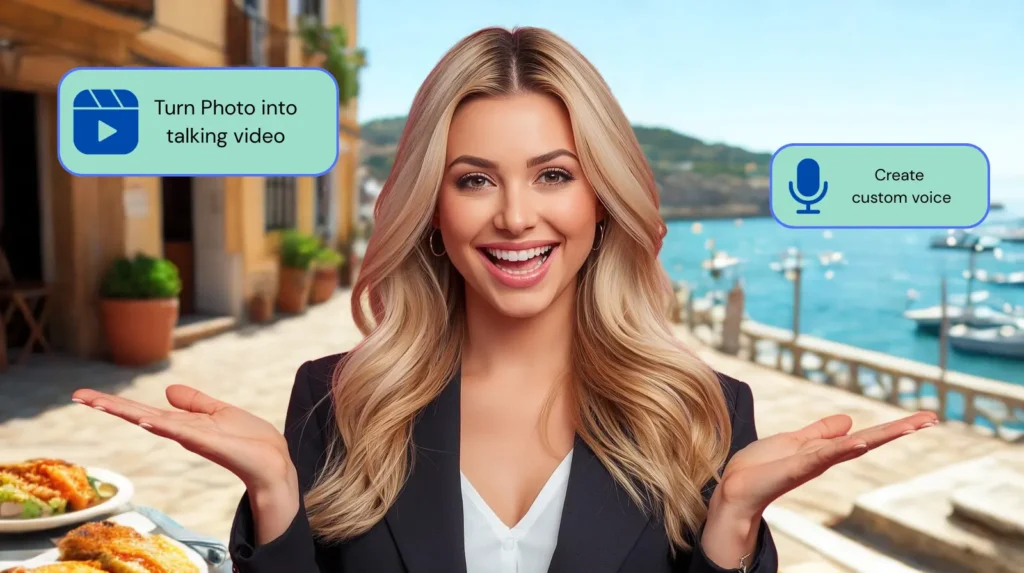
Synthesia is a cloud-based platform that converts written scripts into professional videos using AI-generated human presenters. You do not need a camera, a microphone, or a video editor. You write what you want the presenter to say, choose from a library of over 230 photorealistic avatars, pick a language, and the platform produces the finished video.
The platform sits firmly in the enterprise category. Its feature set, pricing structure, compliance certifications, and customer base all reflect an organization built for large teams producing video at scale, not individuals experimenting with social media content. That is not a limitation so much as a deliberate positioning. Synthesia does a specific set of things exceptionally well, and understanding what those things are will tell you quickly whether it fits your situation.
In 2026, the platform has expanded significantly beyond its original avatar-and-script core. It now includes an AI Playground with access to leading generative video models, enhanced PowerPoint conversion, built-in video analytics showing completion rates and drop-off points, and integration with major learning management systems. Enterprise AI video creation without a camera has matured from a novelty into a production-grade workflow for the organizations using it seriously.
Key Features of Synthesia
1. The Avatar Library: 230+ Realistic Presenters
Synthesia’s avatar library is one of the largest and most diverse in the category. With over 230 stock avatars representing a wide range of ages, ethnicities, professional backgrounds, and presentation styles, the platform covers most use cases without needing a custom presenter. For enterprise clients, the ability to create a personal avatar using studio-recorded footage produces a digital twin that is exclusive to that organization.
Avatar quality is consistently high across the library, though some reviewers note that certain avatars can occasionally feel clinical or slightly stiff in emotional range compared to the most natural human delivery. For compliance training and corporate communications, this rarely matters. For content requiring genuine warmth or persuasion, it is worth testing your chosen avatar before committing to a full production run.
2. 160+ Languages with AI Dubbing
Multilingual output is one of the strongest reasons organizations choose this platform. Scripts can be delivered in over 160 languages and accents, and the AI dubbing feature allows existing videos to be translated and re-voiced without re-recording. For global organizations that need to distribute consistent training content across multiple regions, this capability replaces an enormous amount of outsourced translation and re-production work.
The dubbing quality is strongest in major European, Asian, and Latin American languages. Less common languages are serviceable but may occasionally require light editing for naturalness. That said, for organizations that have historically paid per-language for localization services, even imperfect AI dubbing represents a significant time and cost saving.
3. PowerPoint to Video Conversion
This is one of the most practically useful features for corporate teams and one that is often underrated in reviews. You upload a PowerPoint presentation, and Synthesia converts it into a video that retains your original slide design, transforms your speaker notes into a video script, and delivers it with an avatar presenter. For organizations that have libraries of existing presentation content, this is a direct path to video production without starting from scratch.
The 2025 update improved this feature significantly. Earlier versions required considerable manual cleanup after import. The current version handles complex slide layouts, custom fonts, and layered visuals with far greater accuracy.
4. SCORM Export on All Paid Plans
This is the feature that most directly separates Synthesia from general-purpose video tools when L&D teams are making a purchasing decision. SCORM is the file format that corporate learning management systems use to track employee completion, test results, and training compliance. Synthesia’s SCORM export is available across all paid plans, not just at enterprise level. That means a team on the Starter plan can produce SCORM-compatible training content and deploy it directly into their LMS without any additional conversion steps.
5. AI Playground with Veo 3.1 and Sora 2
In 2025, Synthesia introduced the AI Playground, which gives users access to Google’s Veo 3.1 and OpenAI’s Sora 2 for generating supplementary video assets and B-roll footage directly within the platform. This means you can create background visuals, scene transitions, and supporting clips using leading generative video models without leaving the Synthesia environment. The feature is available even on the free Basic plan, which makes it one of the most accessible entry points to frontier AI video generation currently on the market.
6. Video Analytics
Synthesia includes built-in analytics that track views, completion rates, and drop-off points for published videos. For L&D teams, this data is directly actionable: if a particular training module consistently loses viewers at the 2-minute mark, that is a clear signal to revise that section. Most video platforms treat analytics as a separate concern; building it into the creation platform creates a useful feedback loop that helps teams improve content quality over time.
7. LMS Integration and Brand Kits
Native integration with major learning management systems including Moodle, Cornerstone, and SAP SuccessFactors means Synthesia fits into existing L&D infrastructure rather than requiring teams to build around it. Brand kits allow organizations to set colors, fonts, and logos that apply automatically across all video output, maintaining visual consistency without manual formatting on every project.
Who Is Synthesia For?
L&D and HR Teams at Medium to Large Organizations
This is the platform’s home territory. If your team produces onboarding content, compliance training, product knowledge videos, or internal communications at any meaningful scale, Synthesia’s combination of avatar quality, multilingual output, SCORM export, and LMS integration makes it the most purpose-built option in the market. The PowerPoint import feature alone saves significant production time for teams that already have content in slide format.
Global Organizations with Multilingual Requirements
The combination of 160+ languages and AI dubbing means a single video can serve audiences in dozens of countries without separate production runs. For organizations that have historically paid translation agencies and voice actors for each language version, the economics of this platform become compelling very quickly.
Marketing Teams Producing Structured Explainer Content
Product walkthroughs, FAQ videos, feature announcements, and support content all sit comfortably within what this platform produces well. For marketing teams that need a consistent volume of structured video content, the template library and avatar consistency provide a reliable production foundation.
Who Should Look Elsewhere
Creative agencies producing campaign videos that depend on cinematic style, emotional storytelling, or the authenticity of real human presence will find Synthesia’s output too structured. Equally, individual content creators who primarily need short social media clips and do not require SCORM compliance or multilingual corporate content will find better value in more affordable tools. The platform is priced and designed for teams, not solo operators.
Pros and Cons
The Strengths
- SCORM export on all paid plans is a genuine advantage over almost every competitor in the category.
- 160+ languages with AI dubbing makes global content distribution significantly more practical and affordable.
- The compliance posture, SOC 2 Type II, GDPR, and ISO 42001, satisfies the requirements of enterprise procurement teams and legal departments.
- PowerPoint to video conversion is one of the most practical time-savers for corporate teams with existing presentation libraries.
- The AI Playground with Veo 3.1 and Sora 2 access is available even on the free plan, making it an unusually generous entry point to frontier AI video tools.
- Built-in video analytics provide actionable completion and engagement data without needing a separate tool.
- 90% of users report publishing their first video without needing a tutorial, reflecting a genuinely clean and well-designed interface.
The Weaknesses
- Video minute limits on paid plans can feel restrictive for heavy users. The Starter plan offers 10 minutes per month, which is enough for light use but constraining for teams with regular production needs.
- Content moderation, while important for ethical reasons, has been flagged as occasionally inconsistent. Some users report having similar content approved and rejected in close succession without clear explanation.
- Avatar expressiveness can feel clinical for emotionally-driven content. The avatars are photorealistic but not always emotionally nuanced, which limits their effectiveness for persuasive or empathetic messaging.
- Custom personal avatars are an Enterprise-only feature, which puts them out of reach for smaller teams that would benefit most from a branded presenter.
- Rendering times have received mixed feedback. Many users report efficient processing, but others describe waits as frustrating for longer or more complex videos.
- The platform is less suited to performance marketing video, product ad creation, and social-first content formats where creative flexibility matters more than compliance and structure.
Synthesia Pricing Analysis
Synthesia’s pricing is structured around video minutes per month and team size. Understanding the minute limits before you sign up is the most important step in evaluating whether a given plan fits your production volume.
| Plan | Price | Video Minutes | Key Inclusions |
| Basic (Free) | $0/month | 36 min/year (~3 min/month) | 9 avatars, watermarked, AI Playground (Veo 3.1 + Sora 2) |
| Starter | $18/month (annual) / $29 monthly | 10 min/month | 60+ avatars, no watermark, SCORM export, AI dubbing |
| Creator | $64/month (annual) | 30 min/month | 90+ avatars, custom fonts, audio downloads, priority support |
| Enterprise | Custom pricing | Unlimited | Full avatar library, brand kits, SSO, LMS integration, personal avatar, dedicated support |
The annual billing discount is meaningful: the Starter plan drops from $29 to $18 per month on an annual commitment, which is a 38% saving. For teams confident in their ongoing use, the annual option is the sensible financial choice.
The critical variable is the video minute allowance. Ten minutes per month on the Starter plan is approximately four to five short training videos. For teams producing weekly content, the Creator plan at 30 minutes per month is a more realistic starting point. Enterprise clients get unlimited minutes, which removes production constraints entirely and is the primary reason large organizations choose that tier despite the price opacity.
It is worth noting that the free Basic plan is genuinely usable for evaluation. The 36 minutes per year allowance is tight, but the access to the full AI Playground, including Veo 3.1 and Sora 2, makes the free tier more valuable than most competitors offer at no cost.
Synthesia vs. The Competition
Synthesia operates in a competitive market. Here is how it compares to the six tools most frequently evaluated alongside it.
| Tool | Best For | Starting Price | SCORM Export | Languages | Strength |
| Synthesia | Enterprise L&D, compliance | Free / $18 | All paid plans | 160+ | Security & compliance |
| HeyGen | Creators, agencies | Free / $29 | Business+ only | 175+ | Avatar realism & lip-sync |
| Pictory AI | Content repurposing | $19/month | No | 20+ | Blog & URL to video |
| VEED | Editing-first creators | Free / $12 | No | Auto subtitles | Multi-model flexibility |
| Fliki | Text-to-video blogs | Free / $21 | No | 75+ | Voice quality & speed |
| Sora (OpenAI) | Creative video generation | ChatGPT Plus | No | Prompt-based | Cinematic AI generation |
| InVideo AI | Social media volume | Free / $25 | No | Limited | Speed & stock footage |
Synthesia vs. HeyGen
The most direct comparison in the market. Both platforms produce avatar-based video, support multilingual output, and serve business users. The differences come down to priorities. Synthesia’s compliance posture, SCORM on all paid plans, and LMS integrations make it the stronger choice for regulated industries and formal L&D workflows. HeyGen’s Avatar IV model is currently more photorealistic, and its lip-sync video translation is more advanced. For organizations where security governance comes first, Synthesia wins. For teams where creative output quality is the primary measure, HeyGen holds an edge.
Synthesia vs. Pictory AI
Different tools solving different problems. Pictory is built for content repurposing: turning existing blog posts, webinars, and long-form content into shareable short videos. It does not have AI avatars in the same sense. Synthesia is built for structured video production with a human presenter. If your goal is maximizing existing content assets, Pictory is more efficient. If your goal is producing professional training or communications video with a consistent presenter, Synthesia is the purpose-built choice.
Synthesia vs. VEED
VEED is an editing-first platform with AI generation capabilities layered on top. It gives users access to multiple underlying AI models and a strong browser-based editing environment. For creators who need to generate video and then edit it heavily, VEED offers more flexibility. Synthesia’s workflow is more structured: it is optimized for producing finished video directly from a script with minimal editing required afterward. VEED does not offer SCORM export, which removes it from L&D use cases.
Synthesia vs. Fliki
Fliki specializes in turning text and blog content into narrated video using high-quality AI voices and stock footage. It does not offer photorealistic avatar presenters at Synthesia’s level, but its voice quality is consistently praised and it operates at a lower price point. For solo creators who want narrated video content without avatar complexity, Fliki is worth evaluating. For teams that need a professional presenter, SCORM compliance, and multilingual support, Synthesia offers capabilities that Fliki does not.
Synthesia vs. Sora (OpenAI)
Sora is a generative video model built into ChatGPT Plus. It is designed to create cinematic, scene-based video from text prompts, which is fundamentally different from what Synthesia does. Sora does not produce avatar-based presenter videos, does not support SCORM, and is not built for structured business content production. Interestingly, Synthesia now includes access to Sora 2 within its own AI Playground, which means users can access Sora’s generative capabilities for supplementary content without needing a separate subscription.
Synthesia vs. InVideo AI
InVideo AI is optimized for high-volume social media content production. Its text-to-video and URL-to-video features produce clips quickly using stock footage and AI voiceover. It does not offer enterprise compliance, SCORM export, or the avatar quality that Synthesia provides. For a social media manager needing daily clip output, InVideo AI is faster and more affordable. For an L&D team needing compliant training content, Synthesia is the appropriate tool.
The Bottom Line: What Synthesia Gets Right
This blog exists to help people make confident choices about AI tools. Here is the most direct version of what our testing showed.
Synthesia is the most mature, most compliance-ready platform for enterprise AI video creation without a camera. If your organization needs to produce training content at scale, deliver it in multiple languages, integrate it with an LMS, and satisfy a security team in the process, this platform was built for exactly that scenario. The SCORM export on all paid plans, the 160+ language support, and the Fortune 100 compliance record are not small details. They are the reasons large organizations choose this platform over its competitors.
Where it earns less enthusiasm is in creative flexibility and price transparency at scale. The video minute caps on lower plans require careful planning, the content moderation system can occasionally interrupt production workflows, and the avatar expressiveness, while impressive, does not yet match the emotional range of the best human presenters.
Start with the free Basic plan. The 36 minutes per year is tight, but access to the full AI Playground including Sora 2 and Veo 3.1 makes it a genuinely useful evaluation environment. Use that time to assess whether the avatar quality, the language output, and the video workflow align with what your team actually needs before committing to a paid plan.
[Visit Synthesia Official Website]
Frequently Asked Questions
Does Synthesia require any video editing skills?
No. The platform is designed so that anyone who can write a script can produce a finished video. The interface is clean enough that 90% of users report publishing their first video without needing a tutorial. More advanced customization is available but never required.
Is Synthesia secure enough for regulated industries?
Yes. The platform holds SOC 2 Type II, GDPR, and ISO 42001 certifications and has passed compliance audits at 90% of the Fortune 100. For industries where data governance and AI safety matter, Synthesia has invested more in this area than most competitors.
What does SCORM export actually mean for my team?
SCORM is the file format that corporate learning management systems use to track employee training completion and test results. When you export a Synthesia video as a SCORM package, you can upload it directly to your LMS and it will automatically log who has watched it, how far they got, and whether they passed any associated quiz. Synthesia offers this on all paid plans.
Can I create a video in my own likeness using Synthesia?
Custom personal avatars are available on the Enterprise plan. They require a studio recording session and Synthesia’s explicit consent and verification process. The resulting avatar is exclusive to your organization and can present any script you provide.
How does Synthesia handle languages?
The platform supports over 160 languages and accents. You can write your script in one language and generate the video in another, or use the AI dubbing feature to translate an existing video and re-voice it in the target language. Quality is strongest in major world languages and serviceable for less common ones.
What is the AI Playground and who can access it?
The AI Playground is a feature within Synthesia that gives users access to Google’s Veo 3.1 and OpenAI’s Sora 2 for generating supplementary video assets and scene footage. It is available on all plans including the free Basic plan, making it one of the most accessible entry points to frontier generative video models currently available.
Where can I learn more about Synthesia?
Full feature details, current pricing, and a free trial are available at the official Synthesia website. For comparisons with other AI video tools, see our related guides here.
This review is based on hands-on testing and publicly available information as of early 2026. Pricing and features may change. Always verify current details at the official Synthesia website before purchasing. Our mission is to make AI tools easy to understand so you can make confident, informed choices.